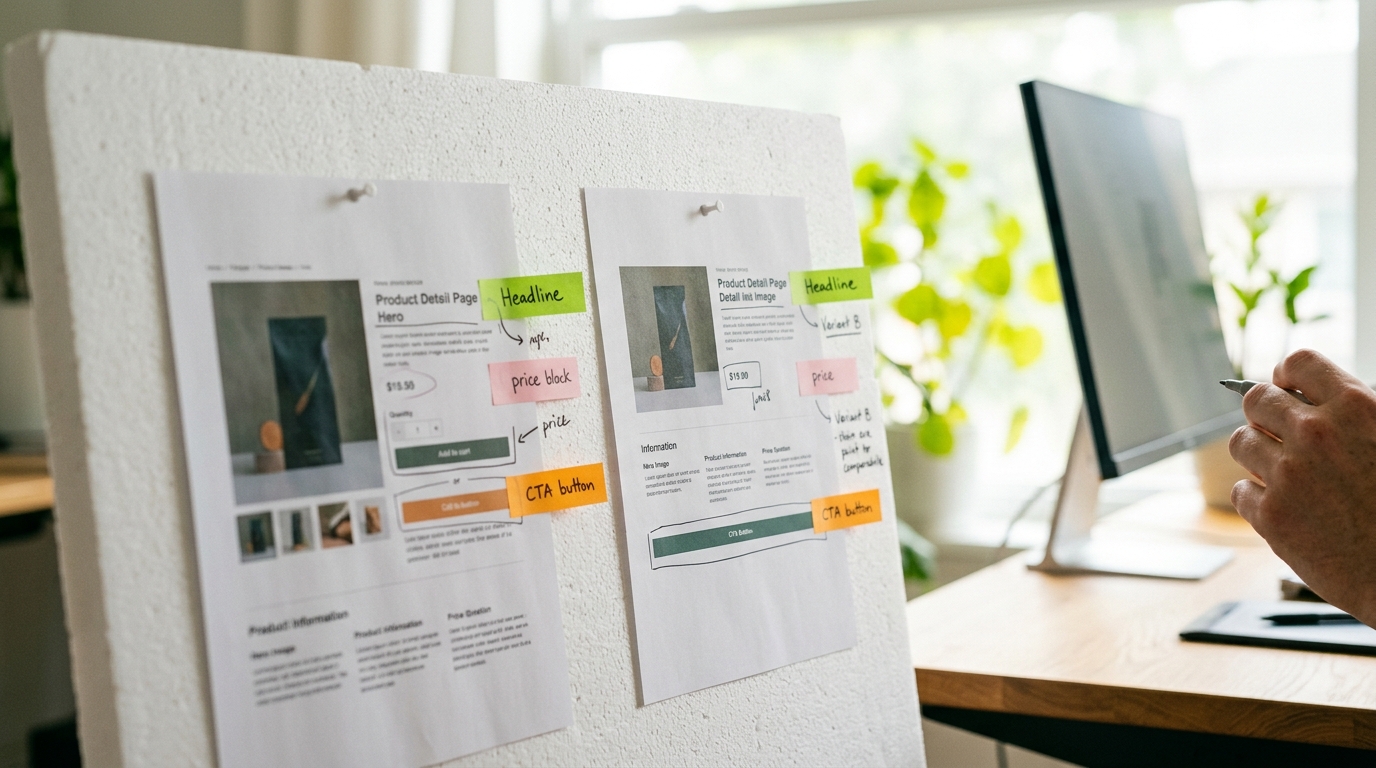
A/B testing your Shopify product pages means showing two versions of the same page to different visitors simultaneously, then measuring which version drives more purchases. Done correctly, even a single winning test on a high-traffic product can lift conversion rates by 10–30% without increasing your ad spend.
Why Product Page A/B Testing Matters for Shopify Stores
Most small ecommerce stores pour budget into traffic while ignoring the page that actually closes the sale. Your product detail page (PDP) is where intent meets decision. A visitor who lands on a well-optimized PDP is already interested. Your job is to remove friction and build confidence fast.
Shopify's native theme editor does not include a built-in split-testing tool, so you need a deliberate process and the right app to run statistically valid experiments. Guessing at changes and then checking your sales dashboard a week later is not A/B testing. It is wishful thinking.
What to Test First: Prioritize by Impact
Not every element on your product page deserves equal testing attention. Focus on the elements that research consistently shows move the conversion needle most.
- Product title and headline: The first text a visitor reads. Clarity beats cleverness every time.
- Hero image and image order: Lifestyle shots versus plain white backgrounds, or showing the product in use first, regularly produces measurable differences.
- Product description format: Short bullet points versus a narrative paragraph, or leading with benefits versus leading with specifications.
- Add-to-cart button: Color, size, copy ("Add to Cart" versus "Buy Now" versus "Get Yours Today"), and placement above or below the fold.
- Social proof placement: Star ratings directly under the title versus reviews section lower on the page.
- Price presentation: Showing the original price crossed out beside a sale price, or displaying per-unit savings.
- Urgency and scarcity indicators: "Only 4 left in stock" or a shipping cutoff countdown.
Setting Up an A/B Test on Shopify: Step by Step
Step 1: Choose a Testing Tool
Shopify's app ecosystem includes several credible split-testing options. Intelligems is the most widely used purpose-built Shopify A/B testing app as of 2026, supporting price testing, content testing, and theme testing with revenue-level tracking rather than click-level proxies. Google Optimize was sunset in 2023, so it is no longer a viable option. Convert.com and VWO both integrate with Shopify and suit stores with higher monthly visitor counts.
Step 2: Define One Hypothesis Per Test
Write your hypothesis before touching anything: "Changing the add-to-cart button copy from 'Add to Cart' to 'Buy Now' will increase the add-to-cart rate because it signals immediacy to purchase-ready visitors." One variable, one measurable outcome. Testing five things at once makes it impossible to know what drove the result.
Step 3: Calculate the Traffic You Need
Statistical significance requires enough data to trust the result. A page converting at 2% needs roughly 5,000 visitors per variation to detect a 20% relative improvement at 95% confidence. Use a free sample size calculator such as the one from Evan Miller's website before you launch. If your product page gets 200 visits a month, you need six months to run one valid test. In that case, focus on your bestselling SKU or consider qualitative research instead.
Step 4: Run the Test Without Interference
Launch both versions simultaneously. Do not change your traffic sources or run a promotion during the test period. External variables corrupt results. Let the test run until you hit your pre-set sample size or a minimum of two weeks to account for day-of-week behavior differences.
Step 5: Read the Results Correctly
Look at revenue per visitor, not just conversion rate. A variation that converts more visitors but at a lower average order value can actually hurt your store. Declare a winner only when statistical significance reaches 95% or higher. A result at 80% confidence means there is a 1-in-5 chance the difference is random noise.
Ecommerce Product Page Best Practices to Build Into Every Test
Before you split-test, your baseline page needs to meet a minimum quality threshold. Testing a poorly built page produces a winning version of a poorly built page.
- Mobile-first layout: More than 60% of Shopify store traffic arrives on mobile devices. If your hero image is cut off or your add-to-cart button is below the fold on a phone screen, fix that before testing anything else.
- Page load speed under 3 seconds: Compress images with a tool like TinyPNG or use Shopify's built-in image optimization. Every additional second of load time reduces conversions.
- Unique product descriptions: Copying manufacturer descriptions hurts your Shopify product page SEO and gives Google no reason to rank your page over a competitor's. Write original copy that answers the top three questions a buyer would have.
- Structured review display: Use a review app like Okendo, Judge.me, or Loox that adds schema markup so star ratings appear in Google search results.
- Clear return and shipping policy: State your return window and free shipping threshold near the add-to-cart button, not buried in the footer.
Shopify Product Page SEO Considerations During Testing
A/B testing can create SEO problems if handled carelessly. Follow these rules to protect your organic rankings.
- Use your testing tool's JavaScript-based split to serve variations from a single URL. Do not create duplicate pages with different URLs for each variant.
- Never use meta robots noindex on a variation page URL. Google should only ever see your canonical product URL.
- Keep your title tag and meta description consistent across variations unless you are specifically testing those SEO elements with a clear rollback plan.
- Once you have a winner, implement it as the permanent page and remove the testing script to eliminate any JavaScript rendering delays.
A/B Test Elements: Impact vs. Effort Comparison
| Element | Potential Conversion Impact | Implementation Effort | Test First? |
|---|---|---|---|
| CTA button copy and color | High | Low | Yes |
| Hero image (lifestyle vs. product only) | High | Low–Medium | Yes |
| Description format (bullets vs. paragraphs) | Medium | Low | Yes |
| Review placement (under title vs. below fold) | Medium | Low | Yes |
| Price display (sale price framing) | High | Medium | Yes |
| Page layout restructure | Variable | High | Later |
| Video versus static image | Medium–High | High | Later |
How to Build a High Converting Product Page Before You Test
A/B testing accelerates improvement on a foundation that already converts. If you are starting from scratch or redesigning a product page, build these elements in from day one.
- Lead with the customer's outcome, not the product's features. "Sleep through the night without waking up hot" converts better than "Made with phase-change cooling fabric."
- Show the product from at least five angles with one lifestyle image showing context of use and one image showing scale or size reference.
- Include a size or fit guide on the page if applicable. Returns are conversion killers, and uncertainty about sizing is a major reason shoppers abandon product pages.
- Add a trust block near the add-to-cart button covering your return policy, secure checkout badges, and customer service contact method.
- Use schema markup for Product and Review types to enhance your Shopify product page SEO with rich results in Google Search.
Shopify Product Page A/B Testing FAQ
How long should I run a Shopify A/B test?
Run every test for a minimum of two full weeks, regardless of how quickly results come in. This captures day-of-week variation in shopper behavior. Stop only when you have reached your pre-calculated sample size AND two weeks have passed.
What is a good conversion rate for a Shopify product page?
The median Shopify store converts at 1.4–3.3% of sessions into purchases, based on platform-wide data. High-performing stores in competitive niches can reach 4–6% on specific product pages through sustained optimization. Your benchmark is your own current baseline, not an industry average.
Can A/B testing hurt my Shopify SEO?
Not if you run tests correctly. Serve both variations from the same canonical URL using JavaScript, never create separate URLs for variants, and keep your core on-page SEO elements consistent. Google explicitly allows A/B testing and does not penalize sites that run legitimate experiments.
Should I test price as part of product page optimization?
Yes, price presentation is one of the highest-impact variables you can test. Testing how price is displayed (showing a savings amount in dollars versus percentage, or crossed-out original price) is lower risk than testing the price itself. If you test actual price points, use Intelligems, which is built specifically for Shopify price testing with proper revenue tracking.
What is the biggest A/B testing mistake Shopify store owners make?
Ending tests early after seeing a promising result. A variation that shows a 40% lift after 200 visitors is almost always a statistical artifact. Calling the test too soon wastes the experiment entirely and can lead you to implement a losing change. Set your required sample size before you start and commit to it.